LiveSync with SketchUp
Connect once and keep modelling. Meshes, textures, lights with barn doors and scenes arrive on their own, and the Unreal camera follows yours. What you perfect in Unreal stays perfected.
Made by an arch-viz studio for the way architects actually work: live sync, materials that look real, and renders your clients will sign off on.
No card needed for the trial · Unreal Engine 5.7 · SketchUp 2021–2026 · Windows
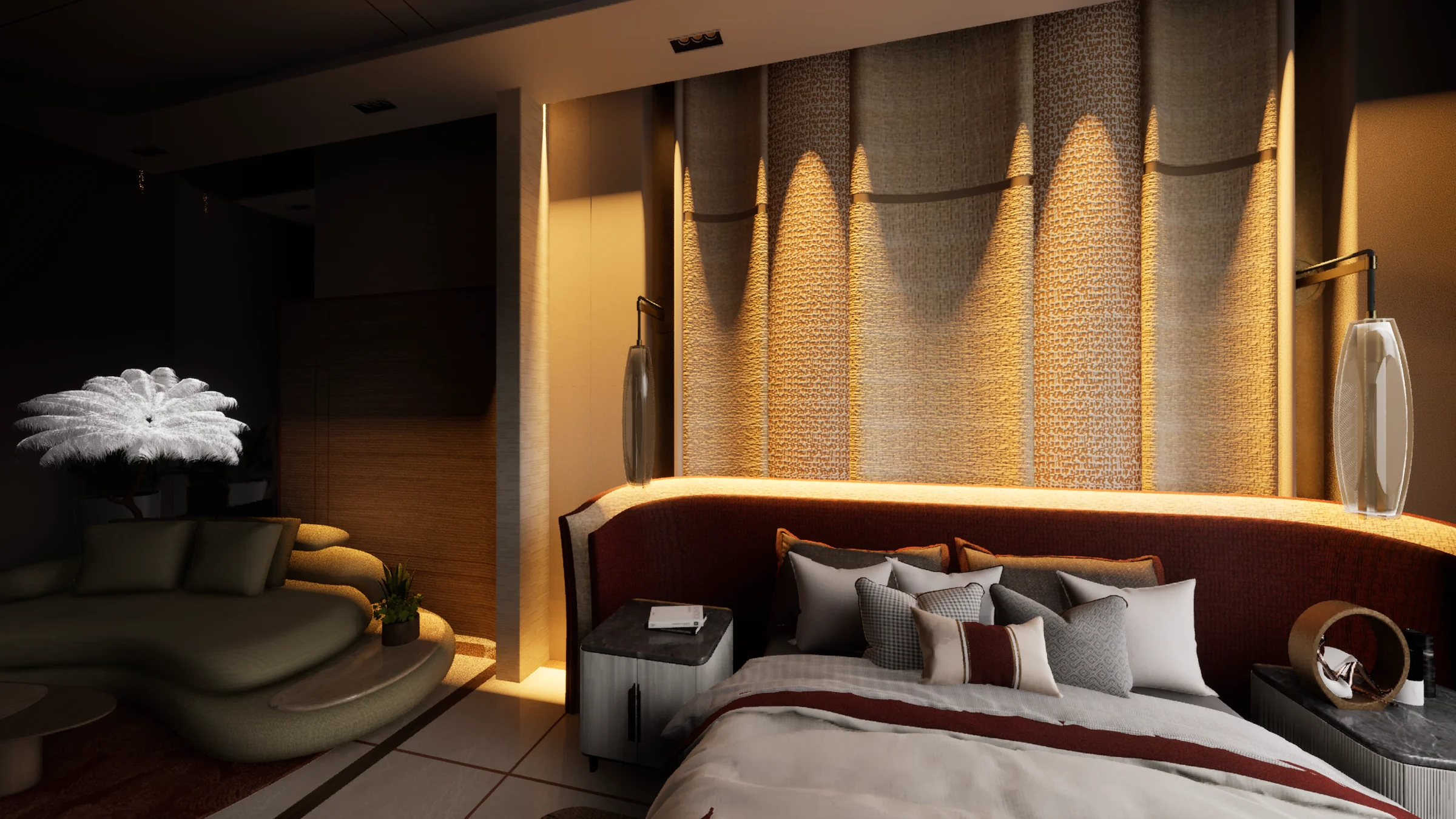

Captured inside Unreal Engine 5.7: a Springbrid interior in the viewport and the Deckerbridge window, unretouched.
No node graphs, no Blueprints, no hunting through settings panels. Deckerbridge puts materials, lighting and rendering behind buttons and sliders with plain-English names.
Turn on picking, click any surface in your scene, then click Polished Marble, Brushed Brass or Velvet. Picking stays on, so you move from surface to surface without breaking stride.
Choose exterior or interior, then a physically correct sun and sky for any place and time, or a photographed HDRI. Exposure, fill and fog are set for you, and everything updates the viewport live.

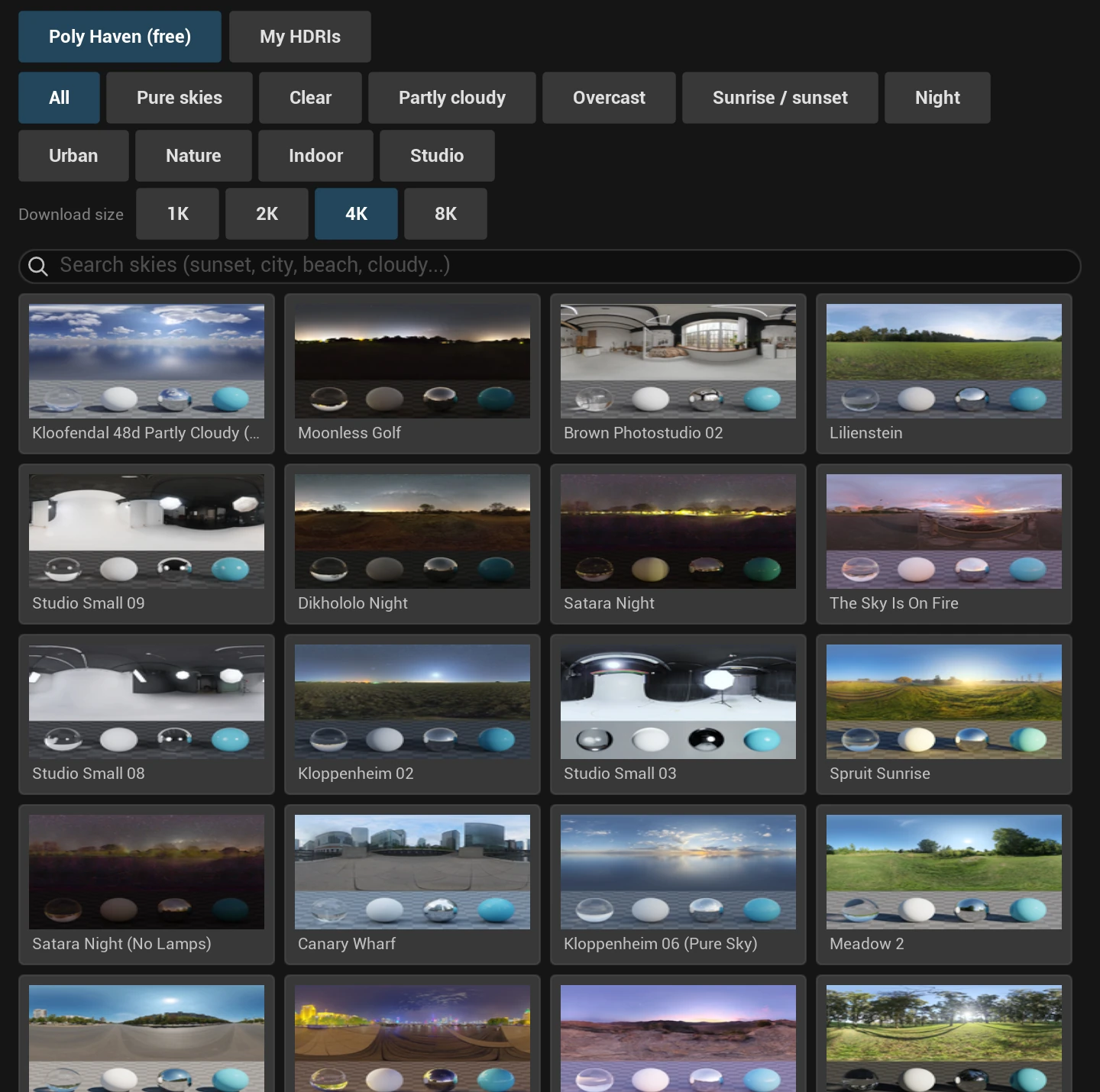
Browse hundreds of free Poly Haven skies by mood (sunsets, overcast, urban, studio, night), download at the size you need and light your scene with one click. Or use your own.
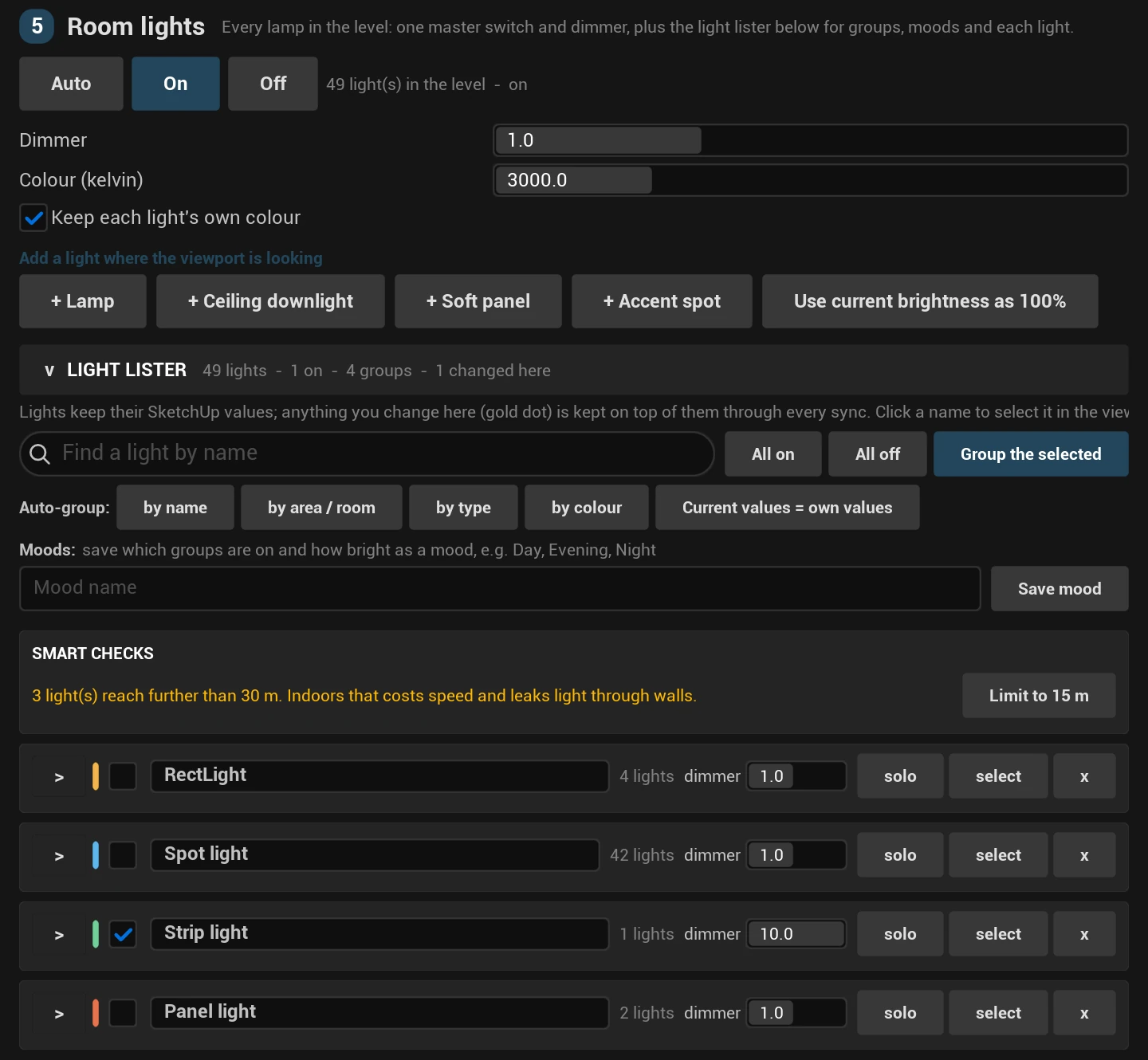
The light lister gathers every light in the level. Group them by room, name, type or colour, dim or solo a whole group, and save Day, Evening and Night moods. Your SketchUp values stay; anything you change here sits on top.
Pick a size, a quality and a file type, then press Render. Stills, every saved outlook at once, walkthroughs, sun time-lapses and path-traced hero shots, without opening Movie Render Queue's settings.

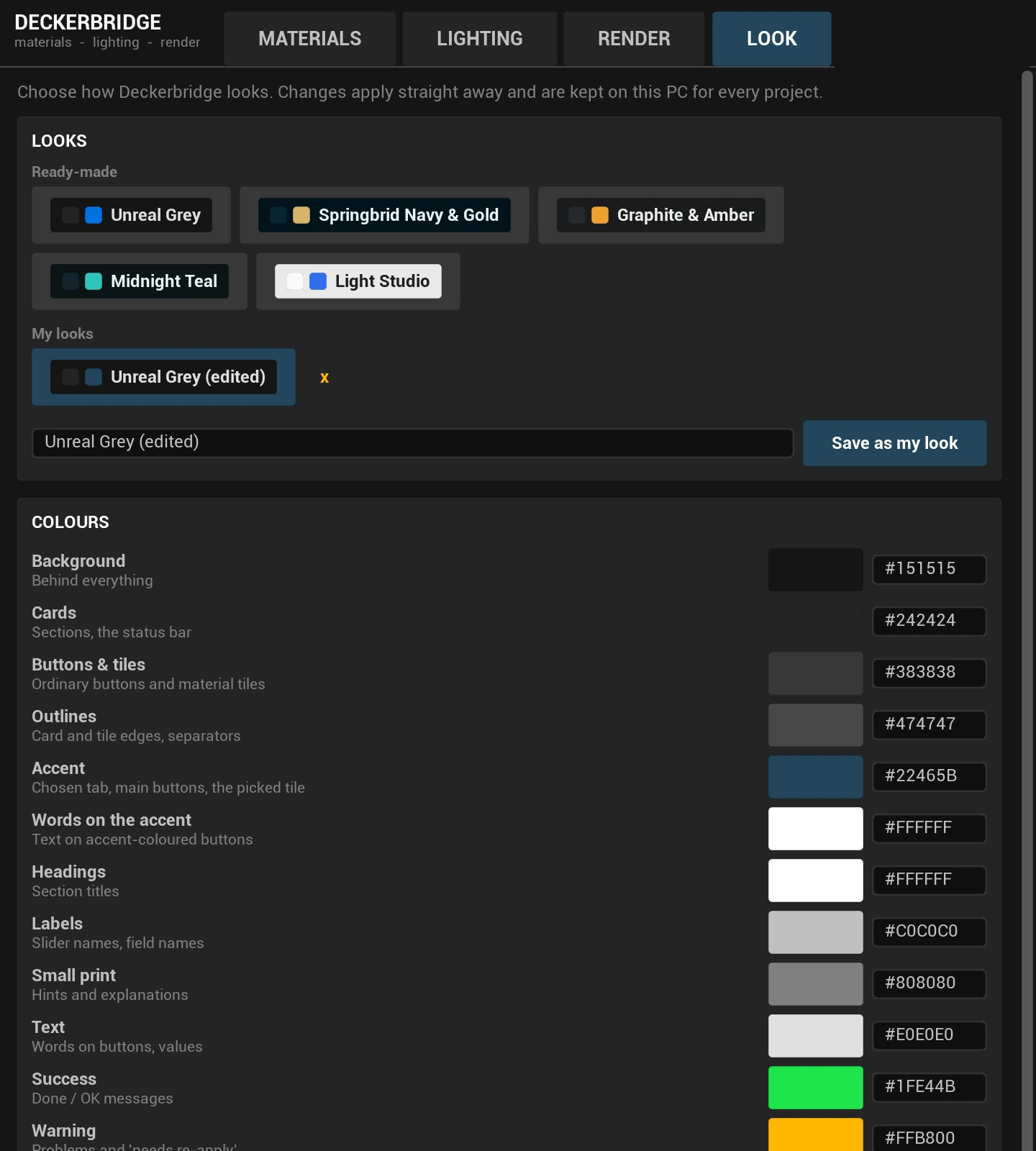
Deckerbridge opens in a clean Unreal grey. Switch to Springbrid Navy & Gold, Graphite & Amber, Midnight Teal or Light Studio, or tune every colour, text size and corner and save your own look.
Connect once and keep modelling. Meshes, textures, lights with barn doors and scenes arrive on their own, and the Unreal camera follows yours. What you perfect in Unreal stays perfected.
Velvet that goes dark face-on and catches light on every fold, crushed or silk. Sheer curtains that glow when the window behind is bright and cast soft sun onto the floor.
Light your scene with the sun of Lagos, London or Dubai at the true date and hour. Then save outlooks (morning, golden hour, night) and render them all at once.
Keep your tags, groups, components and scenes. Place real lights in SketchUp, in lumens, with barn doors.
One click sends the model. LiveSync keeps every later edit in step, and the camera follows.
Click surfaces and presets. Choose your sun or sky. Group lamps into moods. Tune with sliders.
Hero stills, outlooks for every time of day, films and path-traced shots, ready for the client meeting.
Everything Deckerbridge makes is a normal Unreal asset. If you ever stop subscribing, every material, light and setup keeps opening, rendering and packaging exactly as before. Only the tools pause.
14 days with every tool open, no card needed. Then monthly, yearly, or once for life.
For a freelance visualiser or architect on one computer.
Not sure yet? Try it free for 14 days
For studios producing renders and walkthroughs every week.
Not sure yet? Try it free for 14 days
For developers and large practices with five or more seats.
Prices in US dollars. Local taxes such as VAT are added at checkout where they apply.
Yearly and lifetime include every update and support for new Unreal Engine versions. Founding offers end when the places are gone.
No. Deckerbridge replaces node graphs and settings panels with presets, sliders and one-click buttons. If you can use SketchUp, you can light and render in Unreal.
Unreal Engine 5.7 and SketchUp 2021 to 2026, on Windows. Unreal Engine is free for studios earning under $1 million a year.
Download and install Deckerbridge, and every tool is open for 14 days. No card, no account. When you're ready, choose a plan and paste your key into the Licence tab.
One payment, and Deckerbridge is yours for as long as it is sold: every future update and support for new Unreal Engine versions, on the number of computers your plan covers.
It runs to the end of the period you paid for, plus a 7-day grace period. After that the tools pause, but your projects don't: everything Deckerbridge created keeps working, rendering and packaging.
Yes. Checkout accepts cards from anywhere. Prices are in US dollars; if your bank card declines dollar payments, a dollar card or virtual card works. Yearly or lifetime means one payment instead of twelve.
Yes. Deckerbridge confirms your licence online every few days and keeps working offline in between, for up to two weeks.
Any time. Press Deactivate this computer in the Licence tab, or free it from your customer portal, then activate the same key on the new one.
Install Deckerbridge, connect your SketchUp model, and see the difference before your coffee goes cold.
Download the 14-day free trial